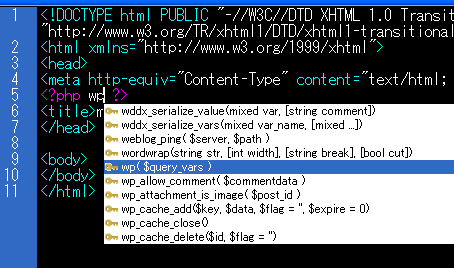
This is Dreamweaver Extention that display wordpress codehints.
The type of codehints are temlate tags and function.
how to install
First, download MXPfile.
>> wordpresscodehints_en.zip
1. help > control extentions ( sorry. I don’t know right menu name in English)
Open Adobe Extention Manager.
2. files > install Extentions
Select MXPfile that you downloaded. then install.
Usage
In php file, when press Ctrl + Space display codehints.
task
This unsupported Classes of Function.
caution
take full responsibility for your actions.


■ 自作iPhoneアプリ 好評発売中!
・フォルメモ - シンプルなフォルダつきメモ帳
・ジッピー電卓 - 消費税や割引もサクサク計算!
■ LINEスタンプ作りました!
 毎日使える。とぼけたウサギ